

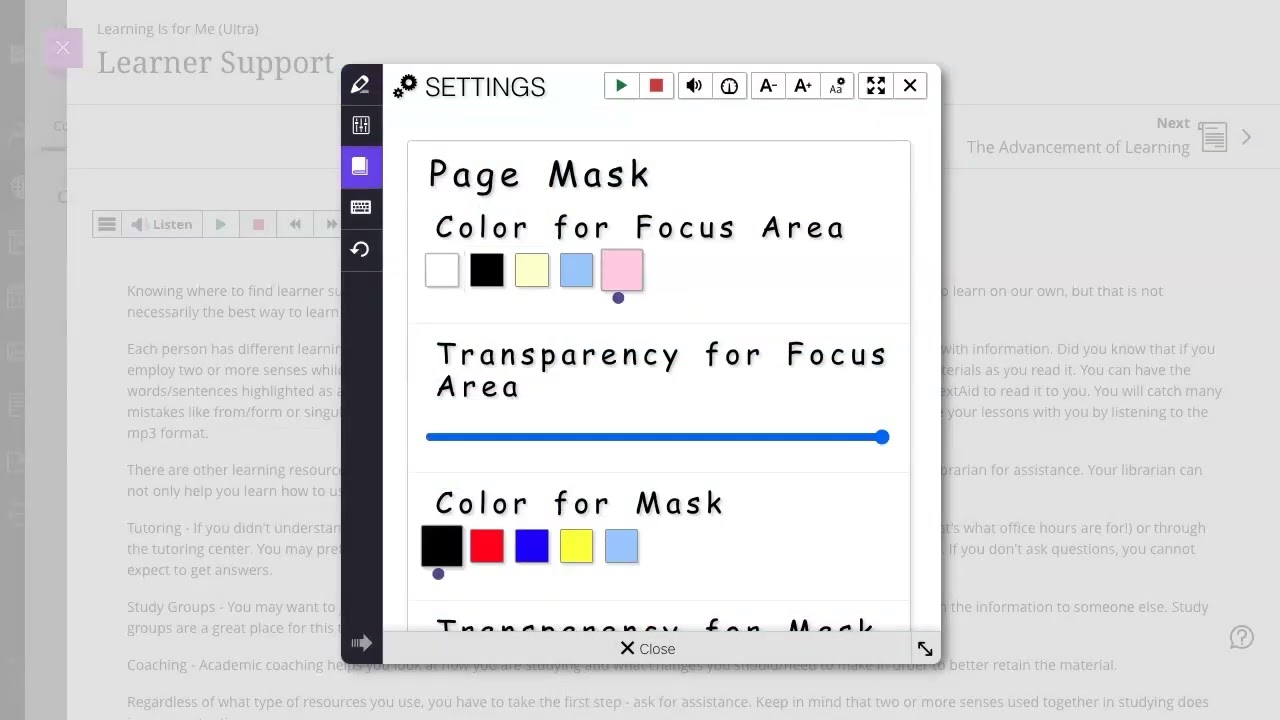


ReadSpeaker’s text to speech solutions, integrated into Blackboard, help make content accessible and engaging for all learners on any device.
Ensuring that courses support all learning styles and are accessible is central to education today. Research shows that bimodal learning improves word recognition, vocabulary, comprehension, fluency, accuracy, and recall, as well as increased motivation and enhanced confidence for ALL learners.
ReadSpeaker’s cloud-based text-to-speech technology seamlessly integrates into the Blackboard Learning environment, providing multiple ways for learners to engage with course materials. By instantly creating audio versions of content—including lessons, quizzes, assignments, and discussions—ReadSpeaker extends the reach of educational resources. Furthermore, docReader supports various file types such as PDFs, Powerpoint presentations, and Microsoft documents.
ReadSpeaker supports Universal Design for Learning (UDL) and improves comprehension by simultaneously presenting information in visual and audio formats.
AN INCLUSIVE LEARNING EXPERIENCE
Just one click to listen and follow along with the highlighted text
Customize the learning experience by selecting highlighting colors, reading voice and reading speed
Floating Listen button, player, and toolbar stay visible when scrolling down on a page and can be conveniently repositioned by user
Quick and easy access to all features through expandable player and toolbar
Text Mode shows the content in an easy-to-read format, with customizable font, size, and color combinations
Integrated focus and translation tools
Audio File – Download an MP3 audio file of the content for offline listening


